← Agency platform
Agency add-on

Standbys
built into your agency.

Plan, staff, and operate standby coverage in one workflow.

$50.00/month or $500.00/year for the agency.

Add Standbys to your setup
Agency portal Open full size ↗
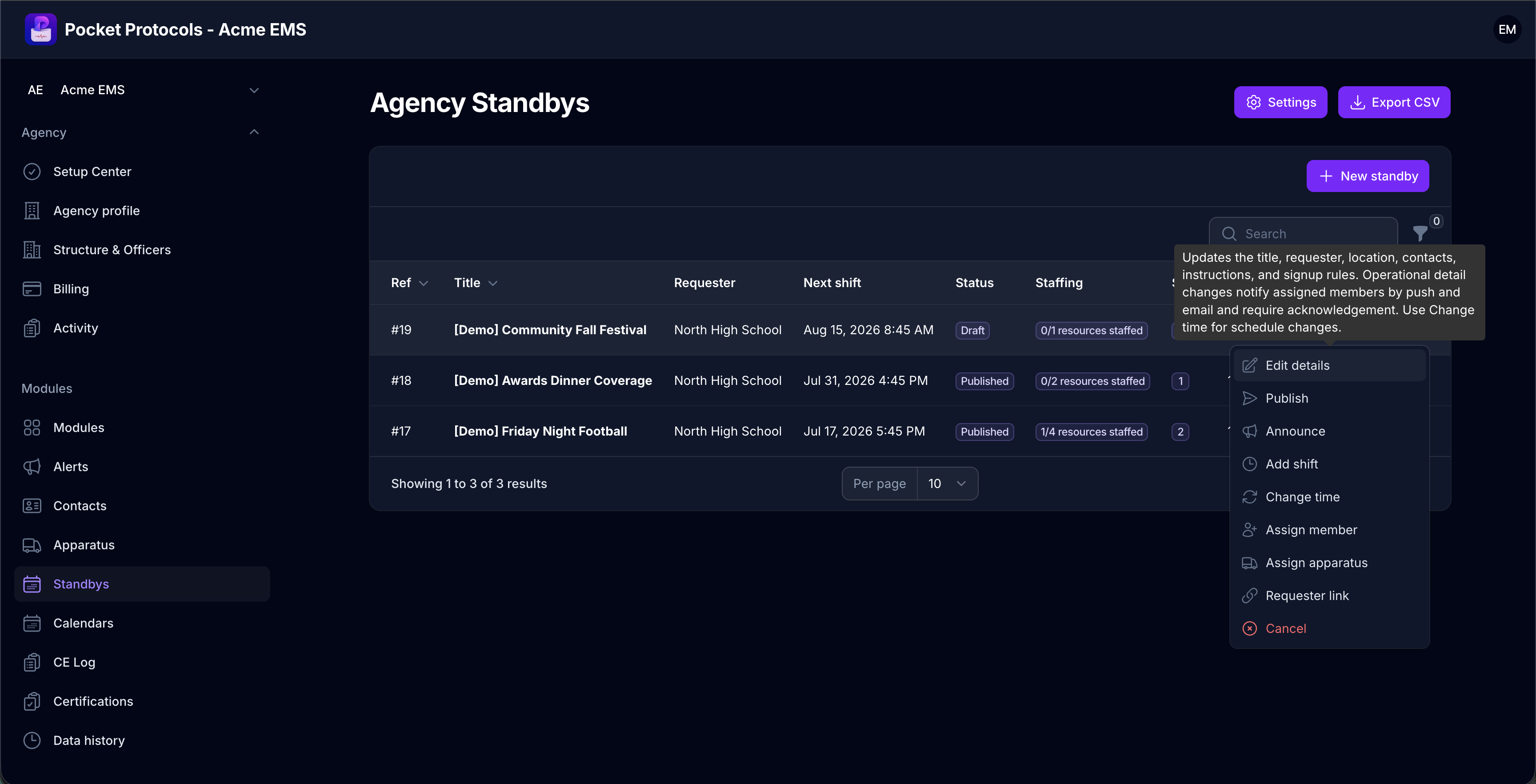
Monitor every standby’s requester, next shift, publication status, staffing progress, and shift count, then open the full action menu from one roster.

Everything Standbys can do.

Built for administrators to manage and, where applicable, for approved members to use from the Pocket Protocols app.

Agency administration

Manage the complete workflow.

  • Create standby requests with requester and location snapshots
  • Build shifts, resources, and qualified positions
  • Publish opportunities to eligible members
  • Announce availability to targeted audiences
  • Accept member signups and staffing requests
  • Assign, remove, reassign, and swap members
Operations and member access

Carry the result into daily operations.

  • Preassign apparatus or let crews select at report time
  • Track apparatus reservations with the standby
  • Manage cancellations and operational changes
  • Offer requesters an optional private status website to follow staffing and apparatus readiness
  • Export standby schedules and staffing records
  • Include the complete Apparatus module

See Standbys across the workflow.

Real screens from the agency portal, a privacy-safe requester view, and the Pocket Protocols member experience.

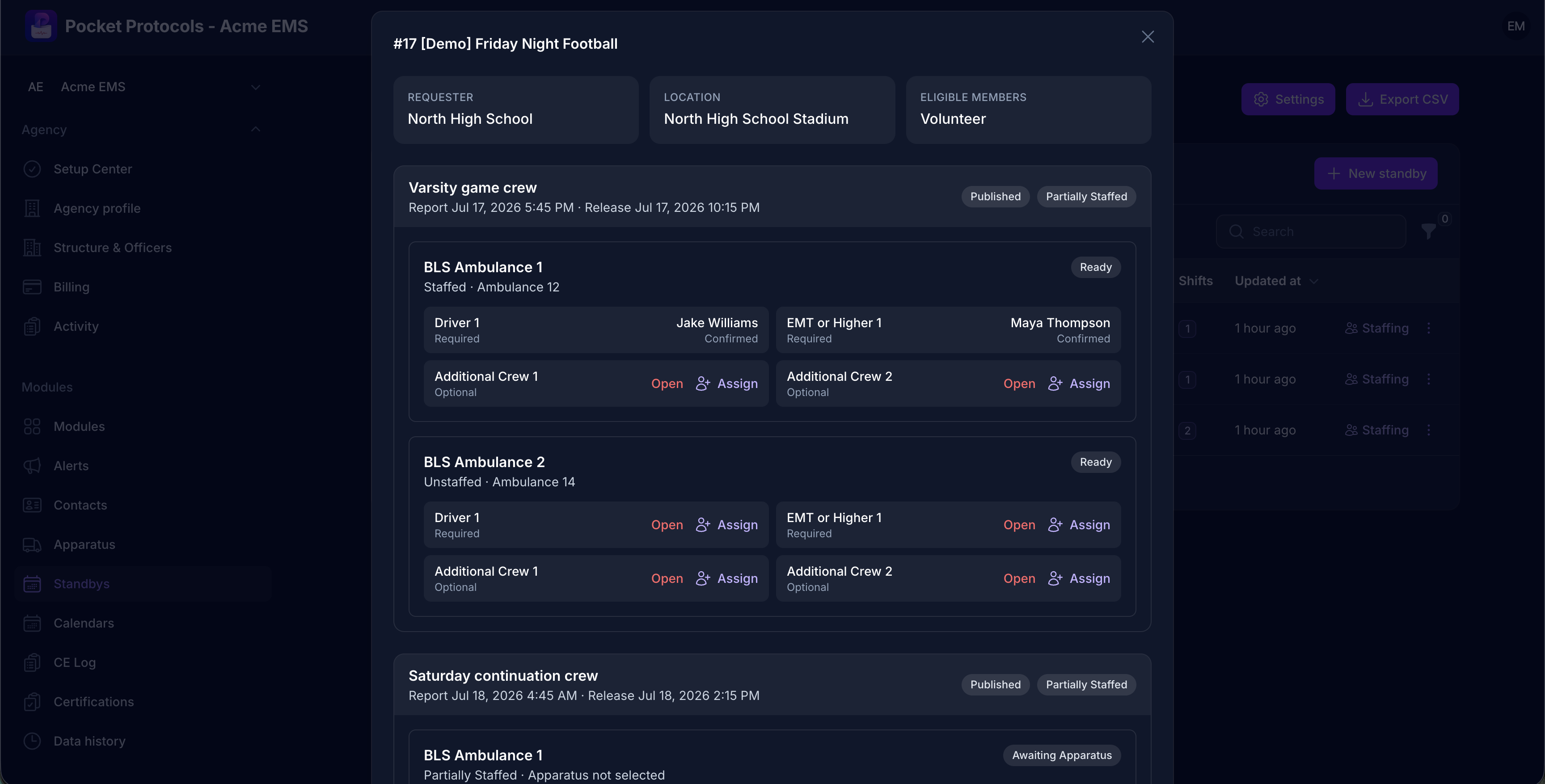
Staff each resource position by position while tracking required roles, confirmed members, open seats, apparatus assignments, and readiness.
Staff each resource position by position while tracking required roles, confirmed members, open seats, apparatus assignments, and readiness.Open full size ↗
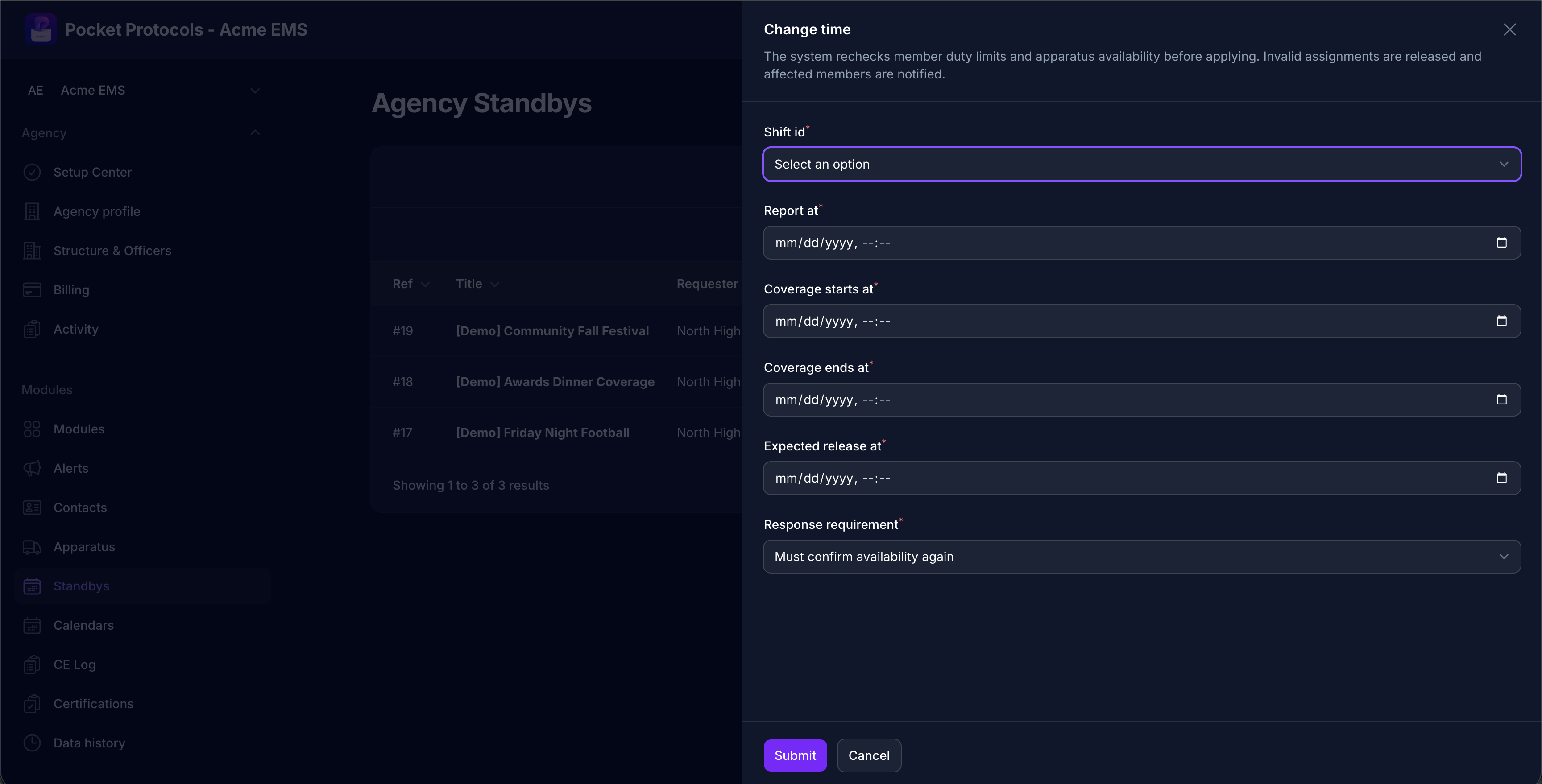
Change a shift window while the system rechecks duty limits and apparatus availability, releases invalid assignments, and requests member confirmation again.
Change a shift window while the system rechecks duty limits and apparatus availability, releases invalid assignments, and requests member confirmation again.Open full size ↗
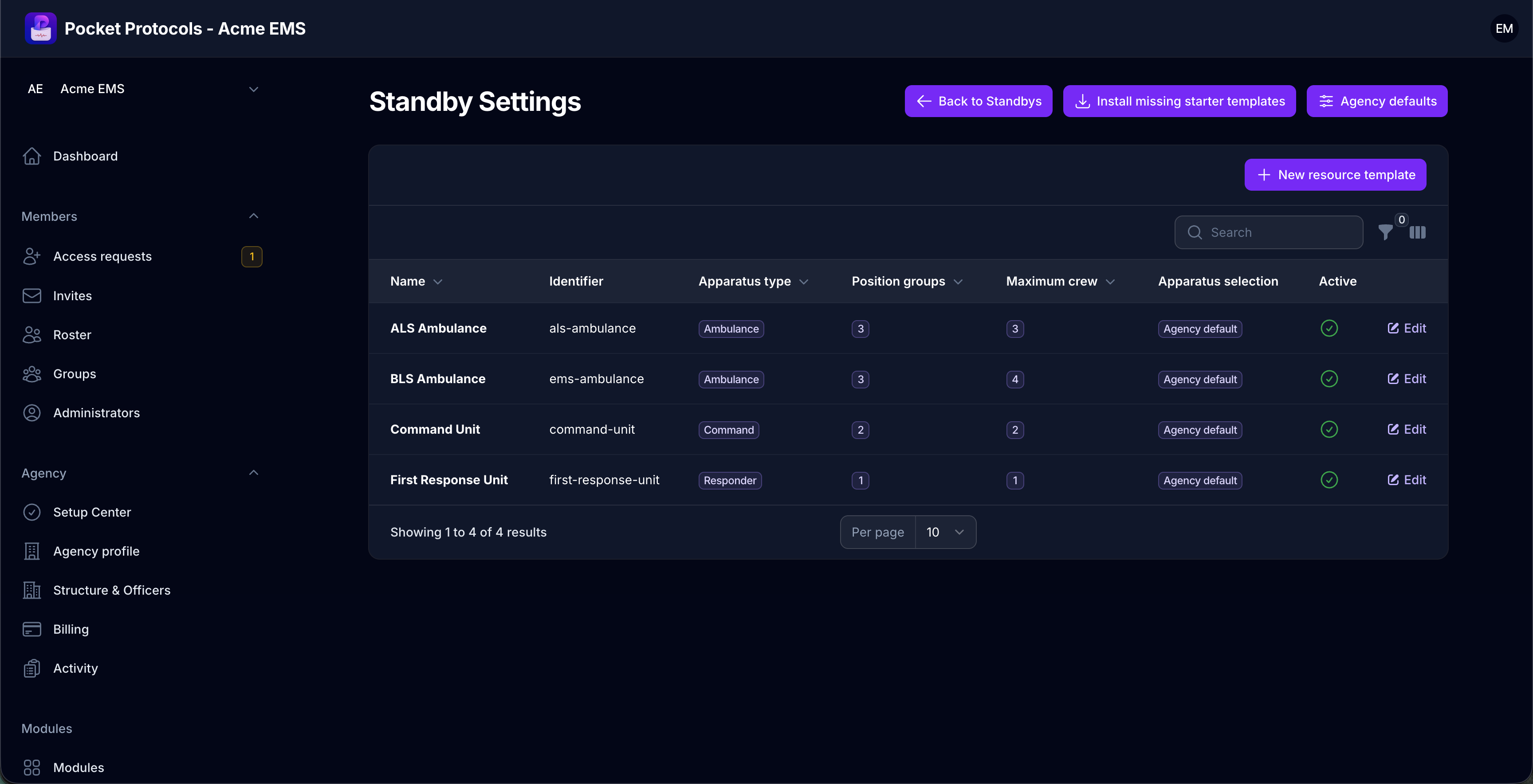
Build reusable resource templates with apparatus types, qualified position groups, maximum crew sizes, and apparatus-selection rules.
Build reusable resource templates with apparatus types, qualified position groups, maximum crew sizes, and apparatus-selection rules.Open full size ↗
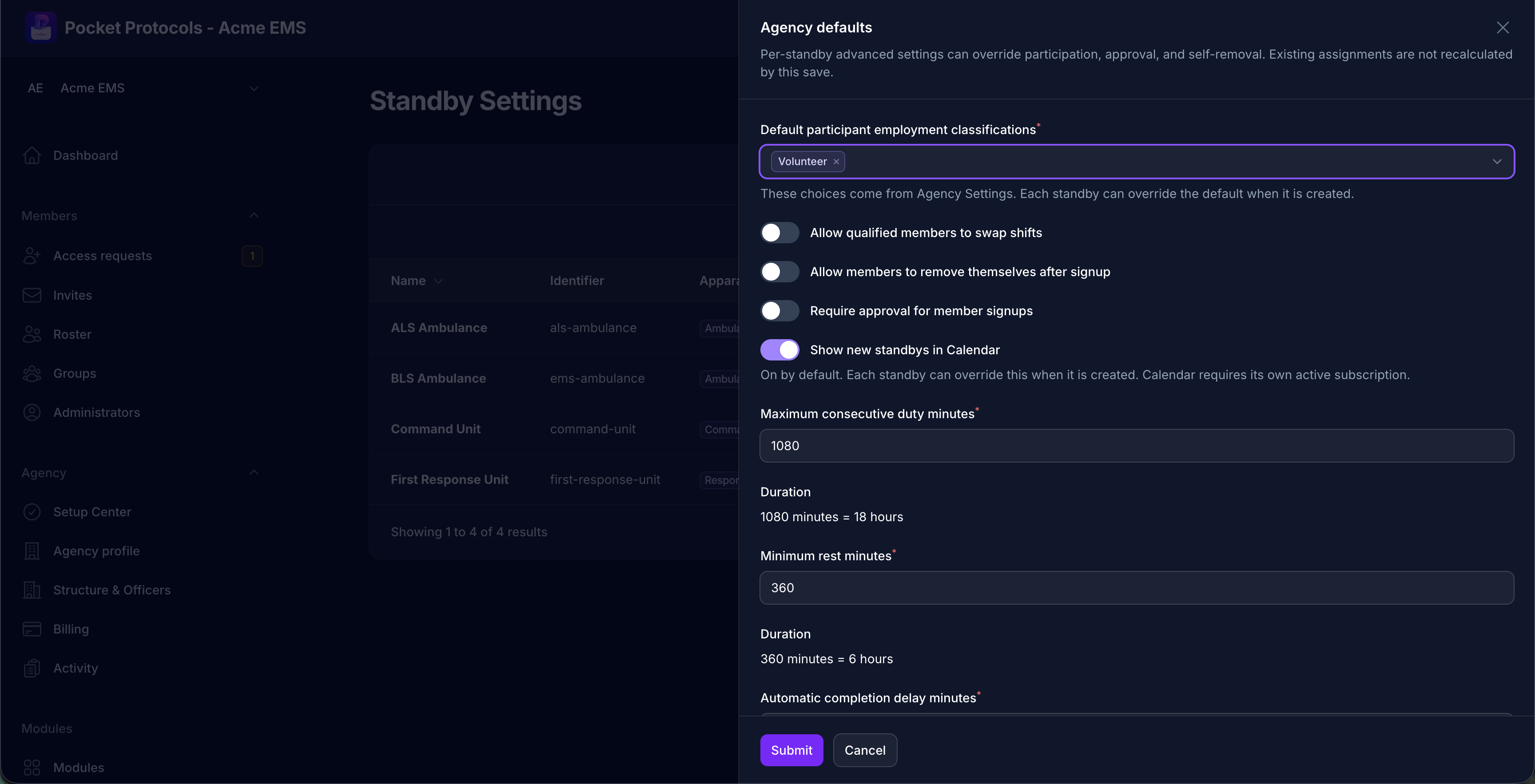
Set agency defaults for participant eligibility, shift swaps, self-removal, signup approval, calendar visibility, duty limits, rest periods, and completion timing.
Set agency defaults for participant eligibility, shift swaps, self-removal, signup approval, calendar visibility, duty limits, rest periods, and completion timing.Open full size ↗
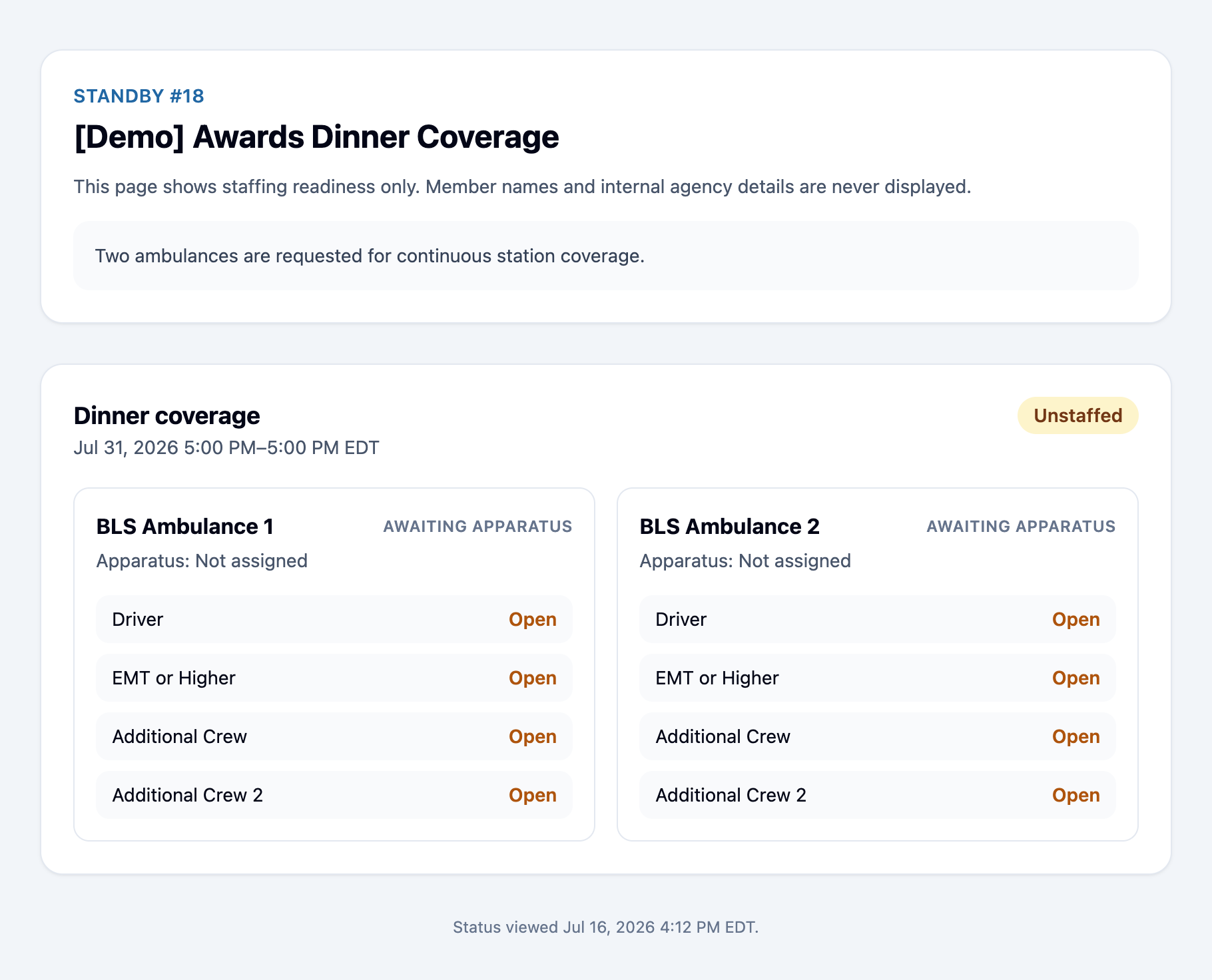
Give the requester a signed, privacy-safe readiness page showing resource, apparatus, and position status without exposing member names or internal agency details.
Give the requester a signed, privacy-safe readiness page showing resource, apparatus, and position status without exposing member names or internal agency details.Open full size ↗
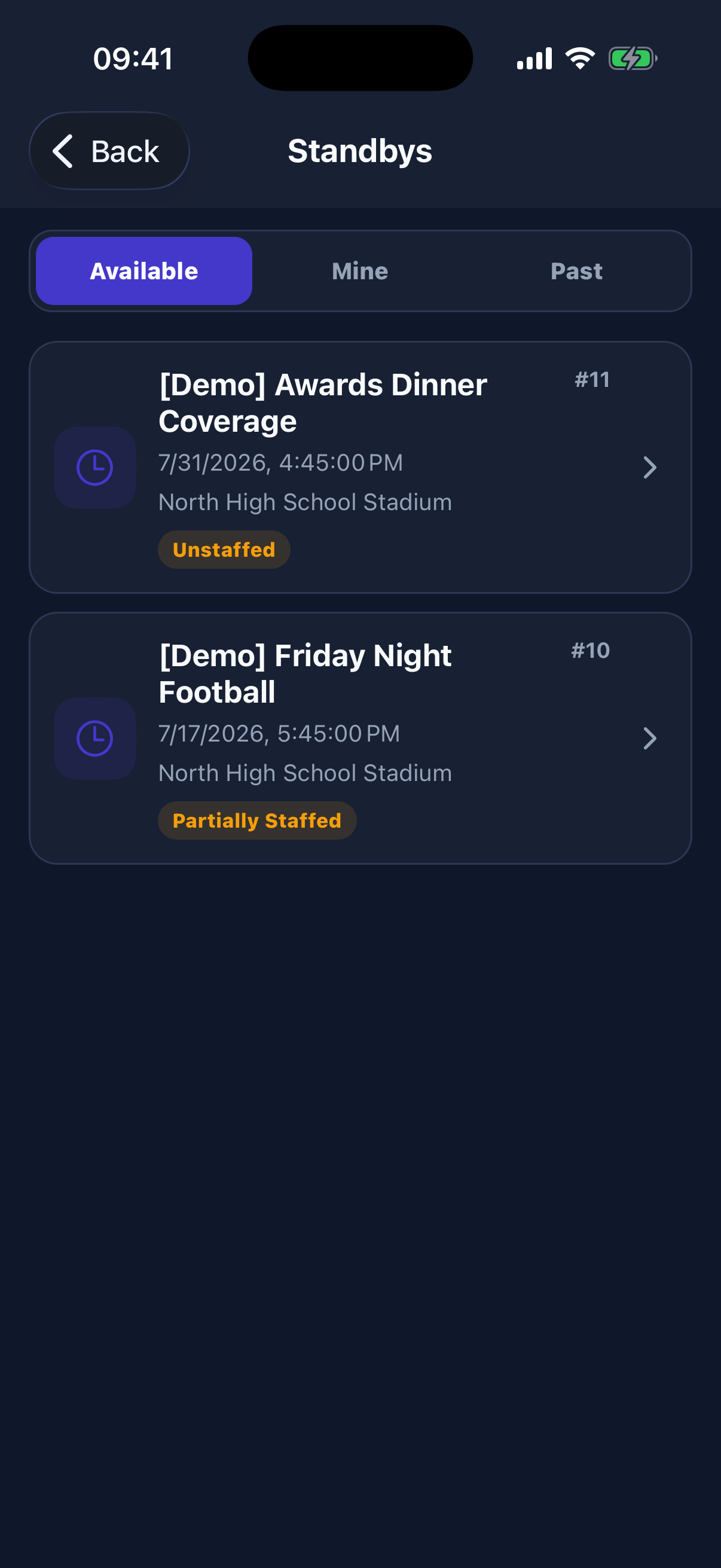
Members can move between available, assigned, and past standbys while seeing the date, location, and current staffing readiness at a glance.
Members can move between available, assigned, and past standbys while seeing the date, location, and current staffing readiness at a glance.Open full size ↗
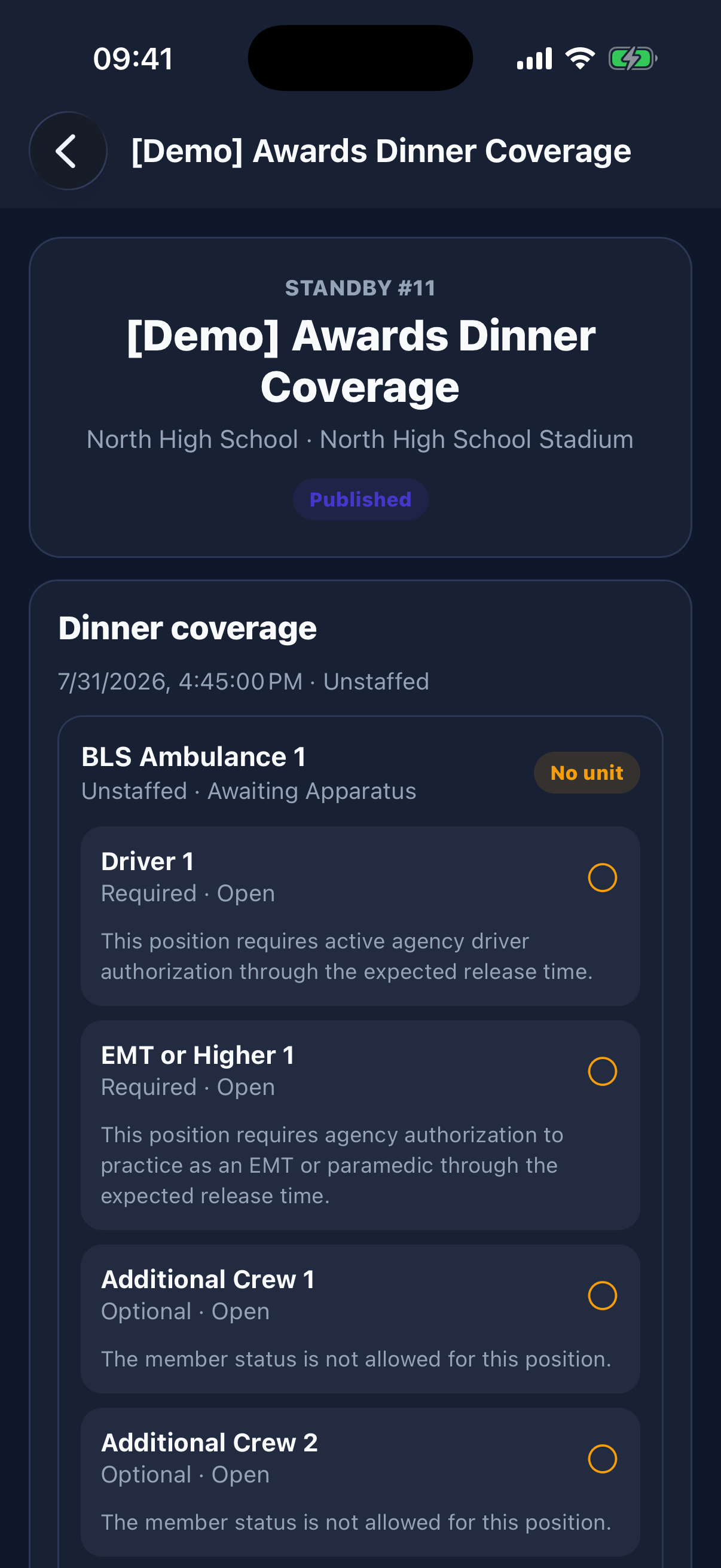
The standby detail shows every resource and open position, including required qualifications and the member’s current eligibility for each seat.
The standby detail shows every resource and open position, including required qualifications and the member’s current eligibility for each seat.Open full size ↗
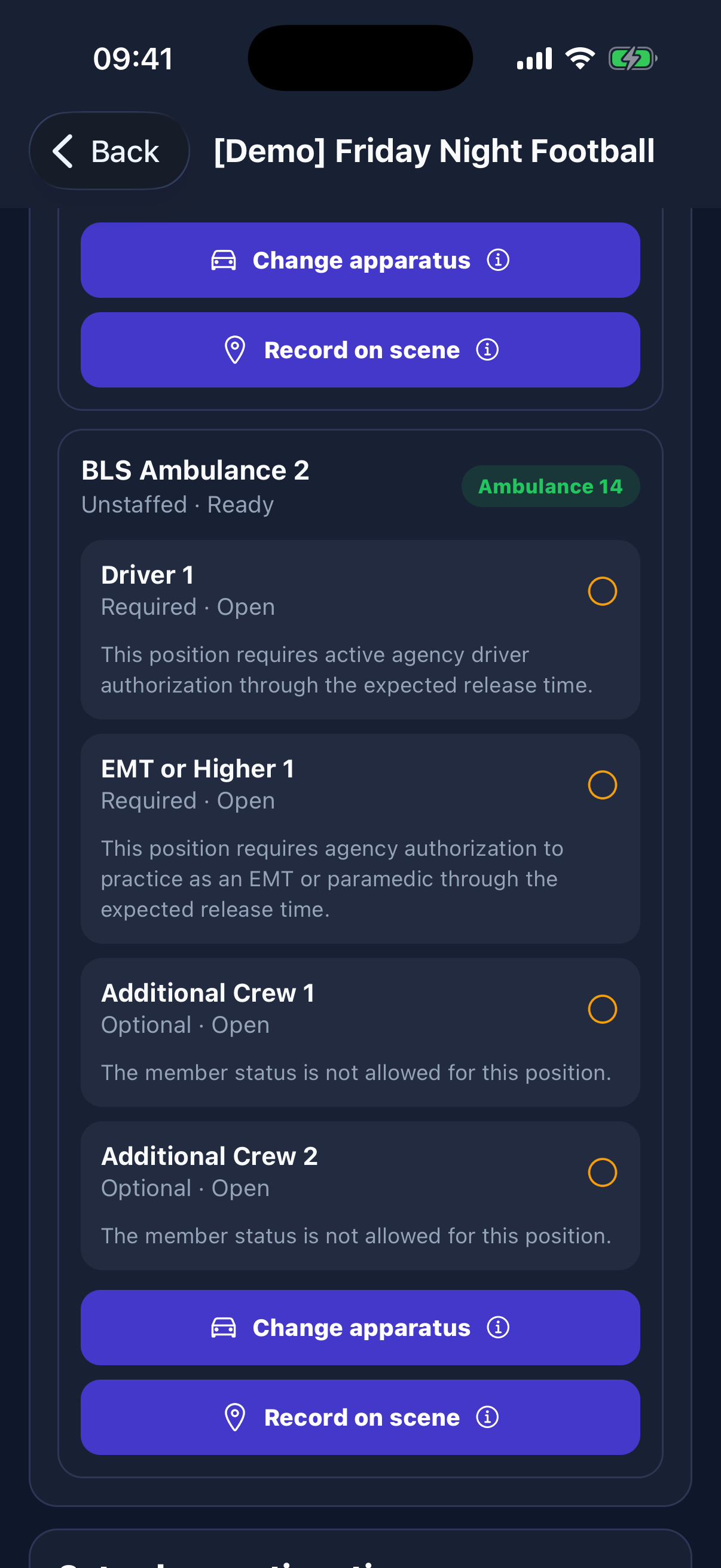
On shift, permitted members can confirm or change apparatus assignments and record operational milestones such as arriving on scene.
On shift, permitted members can confirm or change apparatus assignments and record operational milestones such as arriving on scene.Open full size ↗
Portal to pocket

Administrators stay in control. Members stay informed.

Configure the workflow in the agency portal, choose who can see it, and publish the result to approved app members.

  • Permission-controlled administration
  • Agency groups and visibility rules
  • Activity and change history
  • Connected Pocket Protocols app experience

Ready to bring Standbys to your agency?

We verify every agency setup before creating the organization.

Request verified setup